

Most construction firms treat their lead management setup like a noticeboard. Leads come in, someone writes them down, and the team follows up when they get round to it. The role of command centre in lead management is fundamentally different from that passive approach. A properly configured command centre acts as the operational engine behind your entire project acquisition process, routing, scoring, and escalating leads in real time before a competitor has even picked up the phone. This guide explains what that actually looks like in practice for project managers and contractors.
Table of Contents
- Key takeaways
- The role of command centre in lead management
- How command centres optimise lead flow
- Command centre best practices for construction teams
- Lead management strategies powered by command centres
- My honest view on why most firms get this wrong
- How Pulsepermit puts this into practice
- FAQ
Key takeaways
| Point | Details |
|---|---|
| Command centres orchestrate, not just display | They automate routing, escalation, and scoring rather than simply showing data on a screen. |
| Speed determines conversion | Leads not contacted within 60 seconds see a sharp drop in conversion probability. |
| Human oversight remains critical | AI handles flagging and routing, but humans must control decisions on complex bids. |
| Dashboard fatigue is a real risk | Centres that show data without triggering tasks cause staff to disengage from the system. |
| Cross-functional alignment is non-negotiable | Effective centres connect marketing, sales, and operations under shared performance targets. |
The role of command centre in lead management
The phrase "command centre" gets used loosely. In construction circles, you might hear it applied to anything from a project site office to a software dashboard. The recognised industry term is operational command centre (OCC), and it refers to a centralised hub that consolidates data streams, automates decisions, and coordinates team responses in real time.
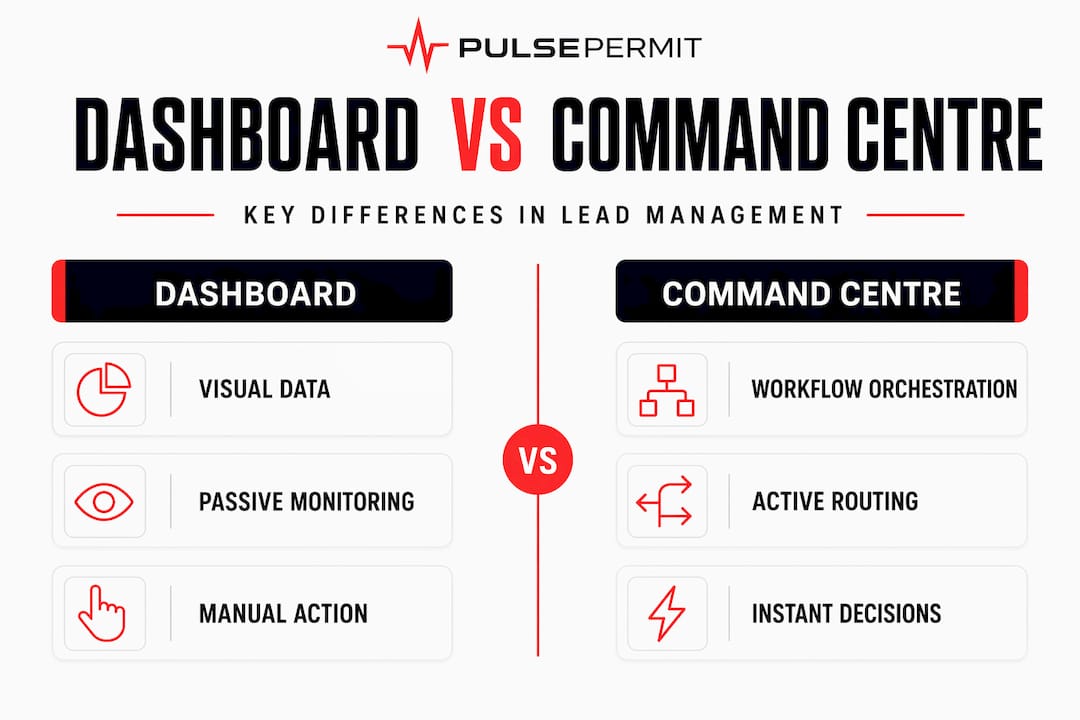
A dashboard shows you what is happening. A command centre decides what happens next.
The distinction matters enormously for lead management. Command centres consolidate varied data streams from CRM systems, market signals, and live planning feeds to enable proactive decisions rather than reactive troubleshooting. For a contractor tracking planning applications across multiple councils, that means the system is not waiting for you to notice an opportunity. It is already scoring it, routing it to the right estimator, and flagging it for follow-up.
Dashboard vs. command centre: what actually differs
| Feature | Dashboard | Command centre |
|---|---|---|
| Primary function | Visualises data | Orchestrates workflows |
| Lead routing | Manual | Automated and rule-based |
| Escalation | Requires human check | Triggered automatically |
| KPI focus | Historical reporting | Live revenue metrics |
| Team coordination | Siloed views | Shared operational picture |
Marketing-focused command centres in 2026 prioritise KPIs like meetings booked and qualified leads over legacy metrics such as average handling time. For construction firms, the equivalent shift is moving from "how many enquiries did we receive" to "how many site visits did we book this week and what was the average project value."
The command centre functions that matter most in construction lead management are real-time lead qualification, automated routing to the right team member, SLA tracking, and closed-loop reporting that shows you where leads drop off.

How command centres optimise lead flow
Speed is not a nice-to-have in construction lead management. It is the variable that most directly predicts whether you win a job or lose it to a faster competitor. Leads not routed within 60 seconds see a drastic drop in conversion, which means every minute your system spends waiting for a human to manually assign an enquiry is costing you pipeline.
A well-designed command centre handles the sequence automatically:
- Lead capture. A planning application, web enquiry, or referral enters the system and is logged with full context including source, location, and project type.
- Enrichment. The system appends additional data such as project value estimates, council area, and applicant details before any human sees it.
- Scoring. A rules-based or AI-assisted model ranks the lead against your criteria, whether that is project size, geography, or trade specialism.
- Routing. The lead is assigned to the right estimator or business development contact based on availability, region, and workload.
- Notification. The assigned team member receives an alert with full context, ready to act. The goal is notification delivery under 60 seconds with no manual steps in between.
That entire sequence, from capture to notification, should happen without a human touching it. The human's job begins at step five, where judgement and relationship skills actually matter.
Pro Tip: Set a hard SLA of five minutes from notification to first outreach attempt. Track it weekly. If your team is consistently missing it, the bottleneck is usually in the routing step, not the people.
The combination of AI flagging and human decision-making is what separates brittle automation from genuinely useful orchestration. For complex bids involving multiple trades or phased projects, the system surfaces the opportunity and the human decides how to approach it. That balance is where optimising lead flow gets interesting.
Command centre best practices for construction teams
Getting the architecture right from the start saves considerable pain later. Structuring command centres around strategic mission pillars enables coherent collaboration and faster decisions. For a contracting business, those pillars might be: new project acquisition, active project delivery, and client retention.
Each pillar gets its own view, its own KPIs, and its own escalation rules. Nobody is looking at data that does not relate to their role.
Here are the command centre best practices that construction firms consistently get wrong, and what to do instead:
- Avoid passive monitoring. Dashboard fatigue is common when centres display data without triggering actionable tasks. If your team is ignoring the screen, the screen is not doing its job. Every alert should require a response, not just acknowledgement.
- Define role clarity upfront. Who owns a lead from capture to close? Who escalates when an SLA is missed? Ambiguity at this level kills conversion rates faster than any technical failure.
- Build in manual override. Automation is your default, but estimators need the ability to reassign, defer, or flag leads without breaking the workflow. Rigid systems get worked around.
- Align physical and digital layouts. Physical and digital command centre layouts should reflect your organisational mission pillars. If your site office and your CRM show different priorities, your team will follow the one in front of them.
- Review weekly, not monthly. Lead management strategies only improve if you are looking at performance data frequently enough to catch problems before they compound.
Pro Tip: Run a monthly "lead autopsy" on every opportunity that went cold. You will find patterns in where the process broke down far faster than any dashboard report will show you.
Lead management strategies powered by command centres
The importance of lead tracking goes beyond knowing where your enquiries come from. It is about understanding the full journey from first signal to signed contract, and identifying exactly where value is being lost. Inbound lead management spans marketing, sales, and operations, and requires cross-functional authority to work effectively. That is precisely what a command centre provides.
Here is how the core lead management strategies map to command centre capabilities:
- Data-driven qualification. Score leads against weighted criteria including project value, location, planning stage, and client type. Remove gut-feel from the initial filter.
- Automated nurture sequences. Enrichment and nurture automation enables signals-driven cadences without manual scheduling. A planning application that matches your criteria can trigger a sequence of touchpoints automatically.
- SLA enforcement. Set response time targets by lead tier and track compliance in real time. When an SLA is breached, the system escalates rather than waiting for a manager to notice.
- Closed-loop reporting. Every lead outcome feeds back into the scoring model. Wins and losses both improve the system over time.
- Unified platform integration. Unified platforms combining CRM, dialler, and AI voice agents raise contact rates and reduce manual data entry. The fewer systems your team has to switch between, the more time they spend actually talking to clients.
The pitfall most construction firms hit is over-automation without orchestration. Call centre automation raises contact rates from 10 to 35 per cent when implemented correctly, but the same tools create chaos when they are not connected to a coherent routing logic. Automating individual steps is not the same as orchestrating the whole process.
My honest view on why most firms get this wrong
I have seen a lot of construction businesses invest in CRM systems, planning data subscriptions, and sales tools, and still lose jobs they should have won. The problem is almost never the data. It is the gap between data and action.
What I have found, time and again, is that fragmented workflows are the real enemy. You have a great lead coming in through one channel, a capable estimator sitting in another system, and no connection between them. By the time the right person sees the opportunity, someone else has already quoted.
The firms that consistently win more work are not necessarily the ones with the most leads. They are the ones with the shortest path from "lead identified" to "quote sent." A command centre does not add complexity to that path. It removes the steps that were never adding value in the first place.
My recommendation for any contractor looking to adopt this approach: start with the routing logic, not the reporting. Get clear on who should receive which type of lead, under what conditions, and within what timeframe. Build the dashboards second. Command centre orchestrations transform fragmented workflows into connected ecosystems, but only if the underlying logic is sound. Pretty screens on top of broken processes just make the problems easier to see.
— Anthony
How Pulsepermit puts this into practice
If the operational model above sounds like what your firm needs, Pulsepermit was built specifically for this challenge in the UK construction market.

Pulsepermit pulls live planning data from public council registers daily and surfaces ranked opportunities tailored to your region and trade specialism. The command centre dashboard gives you a single view of incoming opportunities, project viability scores, and outreach priorities, without the manual trawling through council websites. The built-in quote calculator lets you assess a project before you commit time to it. If you are ready to stop chasing cold leads and start working a properly orchestrated pipeline, explore Pulsepermit's plans and see how quickly you can put this to work.
FAQ
What does a command centre do in lead management?
A command centre automates the enrichment, scoring, and routing of leads in real time, replacing manual handoffs with a connected workflow that moves opportunities from capture to contact in under 60 seconds.
How does a command centre improve leads for construction firms?
It removes the delays between a lead arriving and the right person being notified, which directly improves conversion rates. Construction firms benefit particularly because planning opportunities are time-sensitive and often missed through slow manual processes.
What are the key command centre best practices?
Define role clarity, avoid passive monitoring by triggering task-based responses, build in manual override for complex bids, and align your digital setup with your operational priorities. Review performance weekly rather than monthly.
Why does speed-to-lead matter so much?
Leads not contacted within 60 seconds of routing see a significant drop in conversion probability. In competitive construction markets, the firm that responds first with a credible quote almost always has the advantage.
What is the difference between a dashboard and a command centre?
A dashboard displays data. A command centre acts on it by automating escalation, routing, and task assignment. The distinction is the difference between watching a problem develop and having the system respond to it automatically.